

Keep your race-board setup history.
Remember which wax, tune and stance went with each board. Keep the changes in a record you can check.


Also available on Mac with Apple silicon
Free for every rider. No credit card or in-app subscriptions.
Build a record you can use.
1. Identify the board
Give each board a clear name and save its model and length. Keep training and race boards in separate records.
2. Record preparation
Log wax, edge tunes, base grinds and repairs as you complete them. Use notes for the session or event context.
3. Save a setup change
Record stance width, front and back binding angles, and setback. Add what changed and why so the next adjustment has context.
Remember the setup you recorded.
Find wax, setup changes and maintenance in the board’s history. Add your own race preparation notes to each service.
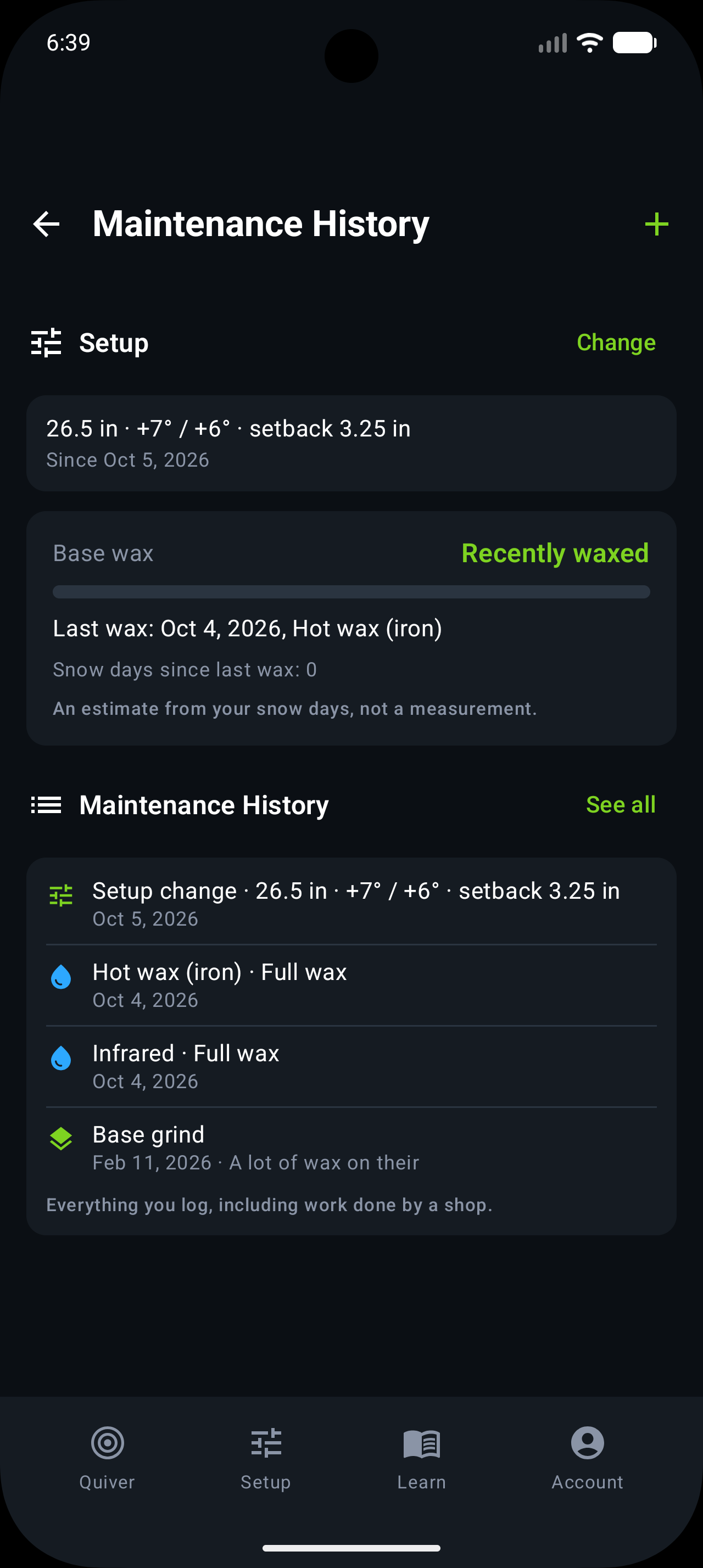
Separate preparation from performance.
Wax and edges
Keep product and tune details with the service date. You can review what was done without guessing which board it was.
Stance and binding setup
Keep a dated history of the settings you entered. Record the actual change rather than a result the app has not measured.
After the session
Add notes and log any damage or repairs. The history follows that board through training and race weekends.
Will Trail Hits recommend a faster race setup?
No. It stores the setup and maintenance you record. It does not analyze race times, prescribe binding angles or determine whether a board is competition-ready.
How activities connect to maintenance →