Bike inspections
Keep chain and wheel findings on the bike diagram, with the notes your team needs for the job.
Snow tools require shop enablement.
Bike repair shop software that keeps each customer's bike, skis or snowboard with its work order, inspection and estimate. Plan the day with the right details in view.
Start Free TrialBuild a catalog of checklists around the work your shop does. Manage templates in Hub web, then use them on work orders in the iOS app or on the web. Add notes, require a photo for a step, and keep progress with the work order.
Set your shop’s quality-control checklist before pickup. Give every tech the same list to work through, with the checks that matter to your shop.
Explore custom checklists and quality controlCustomer equipment inspections
Keep each finding with the customer, equipment and work order. Your team decides what belongs in the service plan.
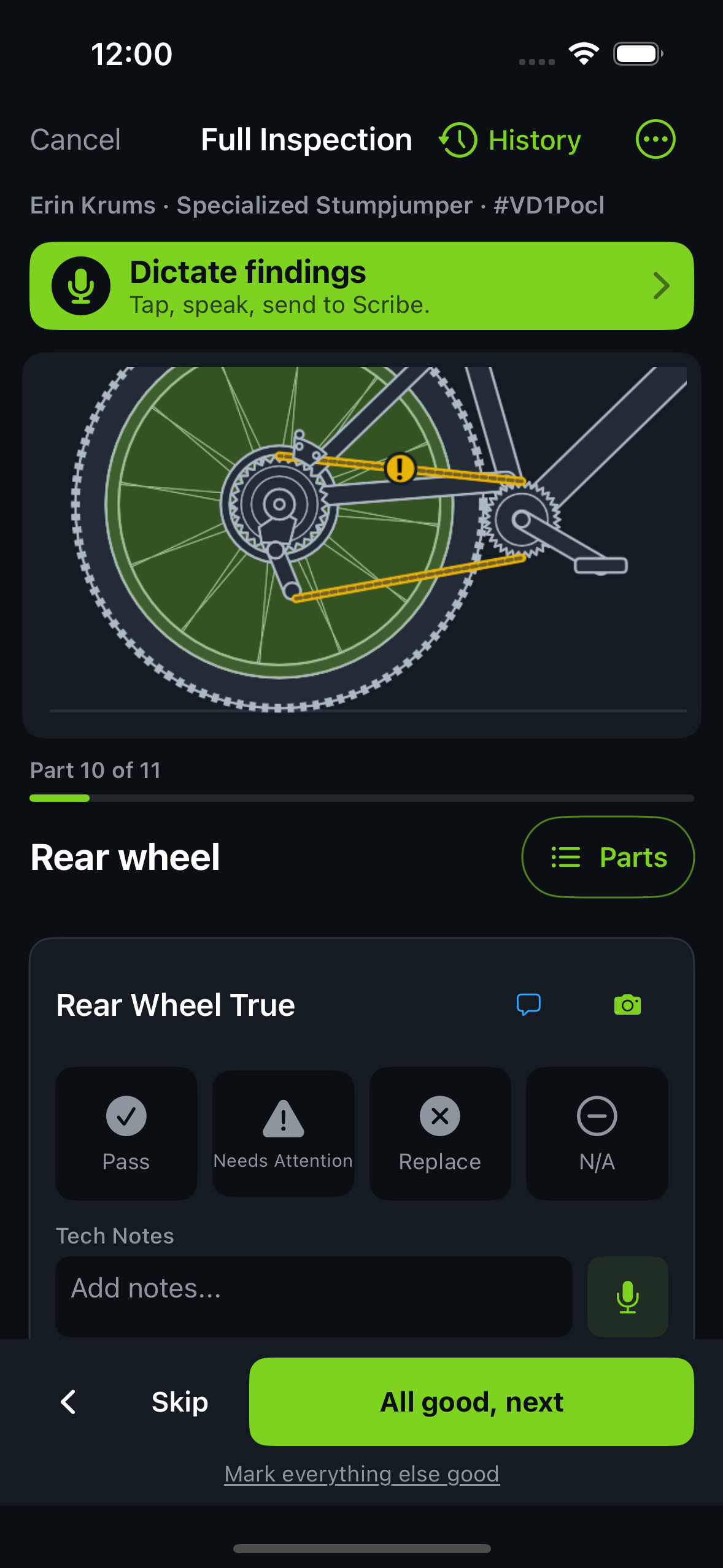
Keep chain and wheel findings on the bike diagram, with the notes your team needs for the job.
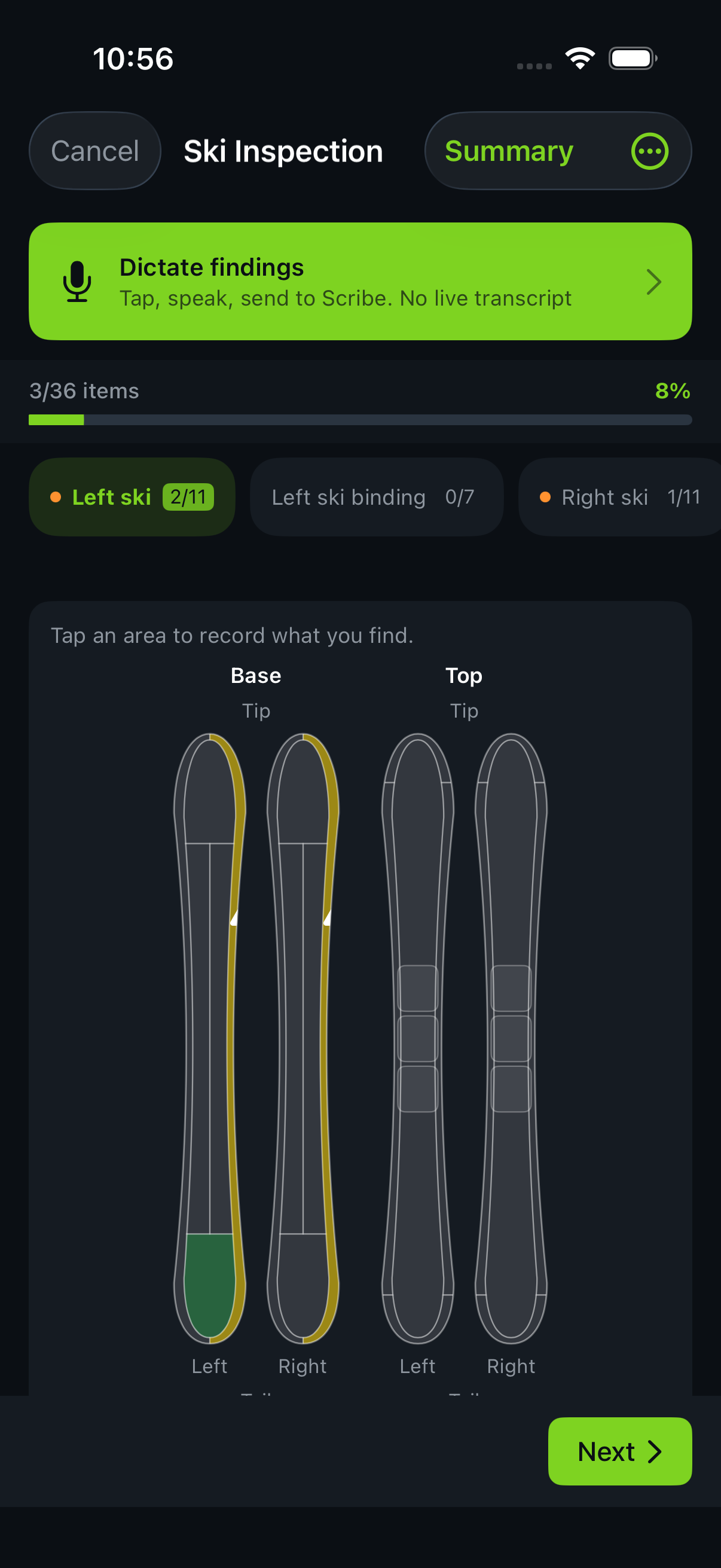
Use the ski diagram to record base, edge and binding findings against the right equipment.
Mark where the board needs attention. Choose relevant catalog labor and parts, then review the estimate.
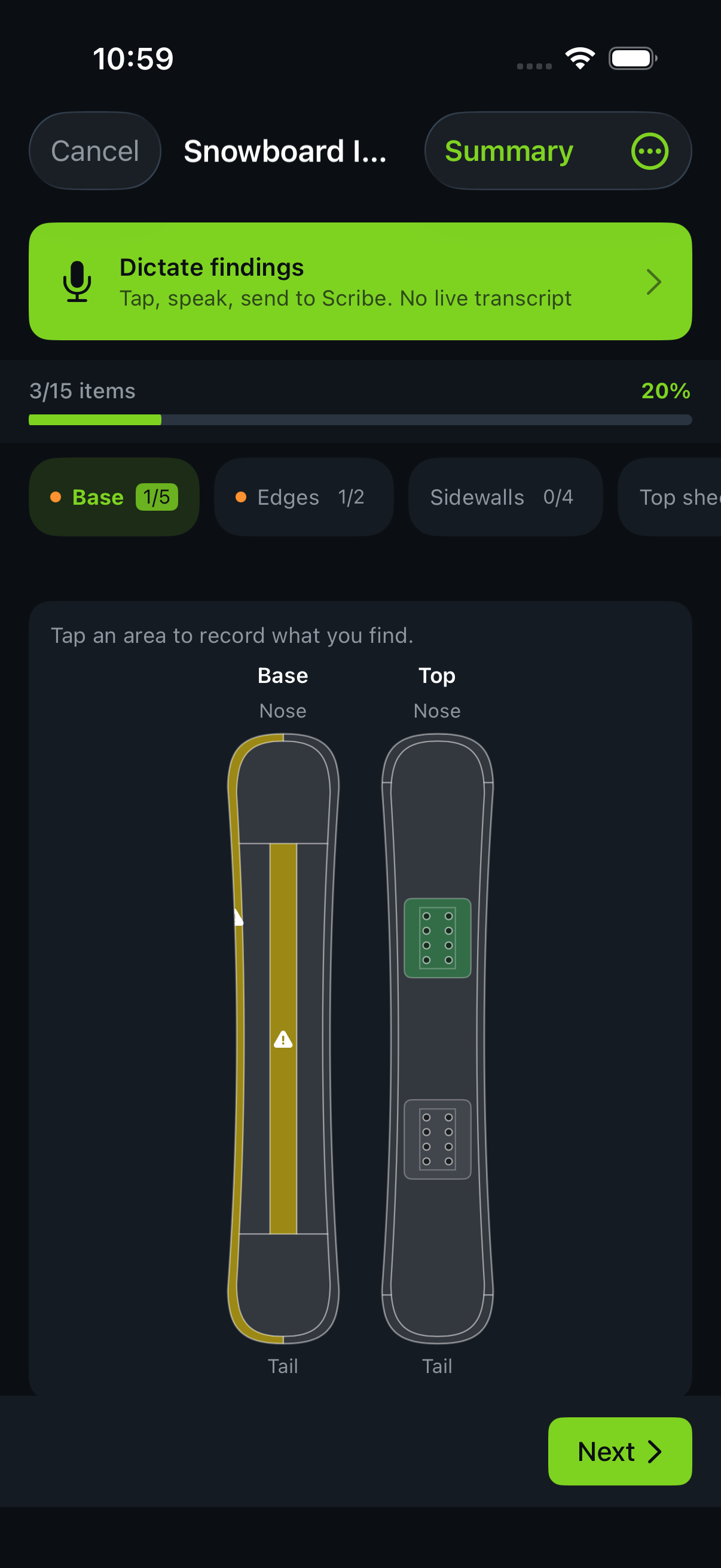
Hub inspections on iPhone. Snow tools require shop enablement.
Snow tools require shop enablement. Ask about availability for your shop before choosing a setup.
Follow the stages your shop uses. Keep equipment identity, technician assignment, dates and notes with the job.
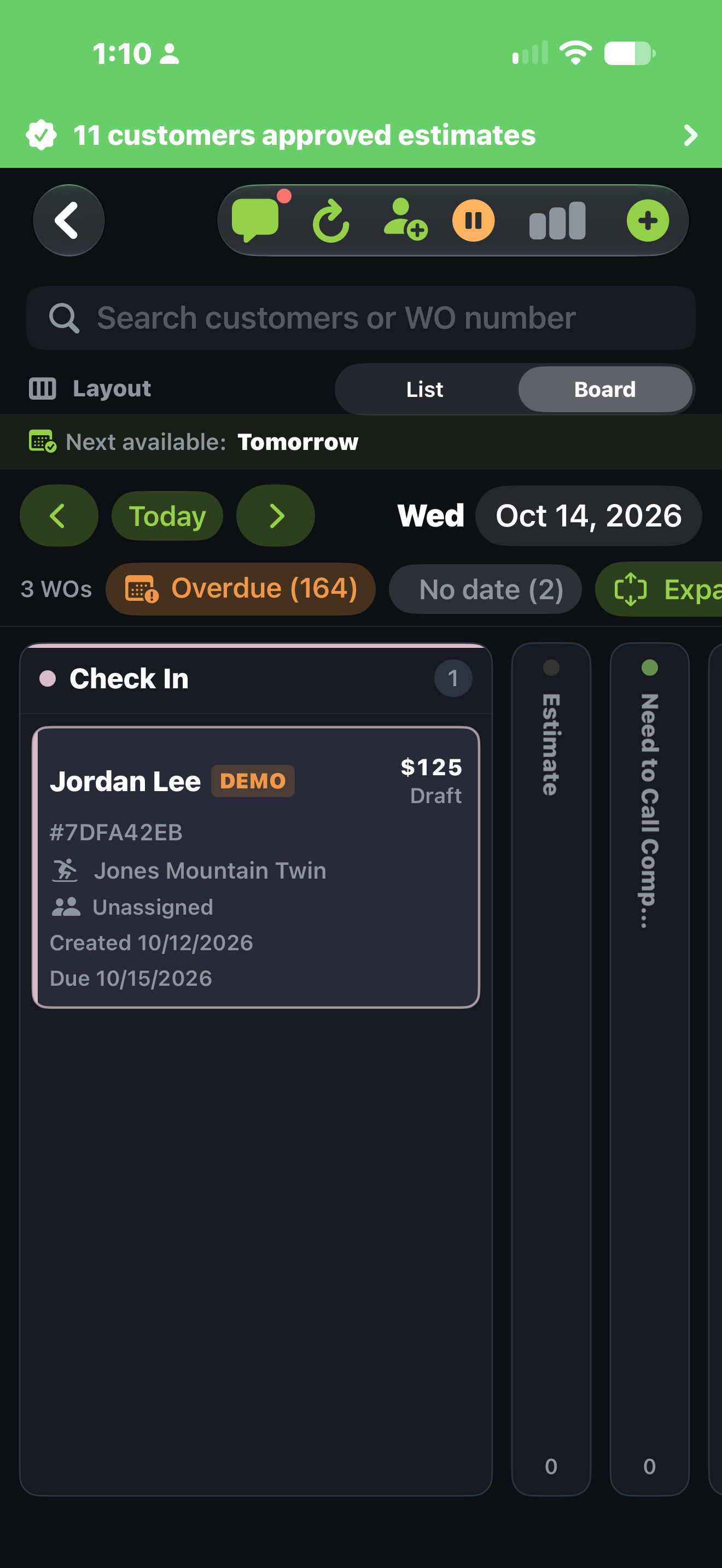
Use List or Board to follow the work. This iOS demo Board shows a snowboard work order in Check In with a $125 draft estimate.
A draft amount is proposed work, not a completed sale. Your team reviews the estimate before sending it to the customer.
Work orders enter from Lightspeed POS or directly in Hub. Walk-ins and app users both covered. Filter by source.
Waiting on parts? Put the work order on hold with a note. Link a special order to track the part and expected arrival. Resume when ready.
Lightspeed notes (read-only) and Hub notes (editable) displayed separately. Full context without confusion.
Day view, week view, and calendar view. Know who's available, who's at capacity, and where each job stands.
Choose relevant labor and parts from your shop catalog for each finding. Mark optional work and review the estimate before sending it. Use the supported POS workflow for your shop.
"I spend almost more time loading up all the SKUs in the work order than finding the appropriate ones."
Lead Mechanic, on why the auto-estimate pipeline matters
Track your service operation across 7-day, 30-day, 90-day, and YTD windows. Export to CSV anytime.
Breakdown by work type: tune-ups, brakes, drivetrain, suspension, wheels
Orders completed, avg hours per order, revenue generated per tech
Average time from check-in to pickup. Per-stage breakdowns.
New vs. repeat, average orders per customer, lifetime value
30-day free trial. No credit card. Your Lightspeed work orders sync on day one.
Trail Hits® Hub
Now on iPhone & iPad
